Pass a callback via props and call it on button click. No state — just props and event handling.

Hands-on practice! You’ll often need to wire up buttons that trigger actions provided from above. Your task: accept a callback in props and invoke it on click.
What To Do
- Implement
ActionButtonwith props:onClick: () => void— click handler (required),label: string— button text (default'Click').
- Render a
<button>with the provided label. - On click, call
onClick. - No
useState— only props and event handler.
Final View
App should show multiple buttons with different callbacks.
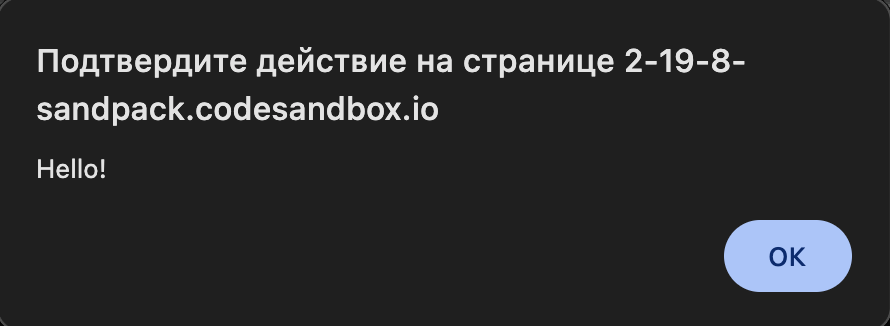
Final result should look like this:
💡 Hint
- Use the handler directly:
<button onClick={onClick}>. - Destructure props with defaults:
function ActionButton({ onClick, label = 'Click' }). - Keep it stateless — logic lives in the parent.
- Docs: react.dev/learn/responding-to-events
👀 Solution
import React from 'react';
import './styles.css';

export function ActionButton({ onClick, label = 'Click' }) {
  return (
    <button className="action-button" onClick={onClick}>
      {label}
    </button>
  );
}

export default function App() {
  function handleGreet() {
    alert('Hello!');
  }
  function handleSignIn() {
    alert('Signing in...');
  }
  return (
    <main className="challenge-container">
      <section>
        <div className="action-card">
          <ActionButton onClick={handleGreet} label="Greet" />
        </div>
        <div className="action-card" style={{ marginTop: 16 }}>
          <ActionButton onClick={handleSignIn} label="Sign in" />
        </div>
        <div className="action-card" style={{ marginTop: 16 }}>
          <ActionButton onClick={() => {}} />
        </div>
      </section>
    </main>
  );
}Why this works: The click handler is passed from parent and invoked by the button. Stateless, simple, and testable.
React: Click Callback
Pass a callback via props and call it on button click. No state — just props and event handling.
Hands-on practice! You’ll often need to wire up buttons that trigger actions provided from above. Your task: accept a callback in props and invoke it on click.
What To Do
- Implement
ActionButtonwith props:onClick: () => void— click handler (required),label: string— button text (default'Click').
- Render a
<button>with the provided label. - On click, call
onClick. - No
useState— only props and event handler.
Final View
App should show multiple buttons with different callbacks.
Final result should look like this:
💡 Hint
- Use the handler directly:
<button onClick={onClick}>. - Destructure props with defaults:
function ActionButton({ onClick, label = 'Click' }). - Keep it stateless — logic lives in the parent.
- Docs: react.dev/learn/responding-to-events
👀 Solution
import React from 'react';
import './styles.css';

export function ActionButton({ onClick, label = 'Click' }) {
  return (
    <button className="action-button" onClick={onClick}>
      {label}
    </button>
  );
}

export default function App() {
  function handleGreet() {
    alert('Hello!');
  }
  function handleSignIn() {
    alert('Signing in...');
  }
  return (
    <main className="challenge-container">
      <section>
        <div className="action-card">
          <ActionButton onClick={handleGreet} label="Greet" />
        </div>
        <div className="action-card" style={{ marginTop: 16 }}>
          <ActionButton onClick={handleSignIn} label="Sign in" />
        </div>
        <div className="action-card" style={{ marginTop: 16 }}>
          <ActionButton onClick={() => {}} />
        </div>
      </section>
    </main>
  );
}
Why this works: The click handler is passed from parent and invoked by the button. Stateless, simple, and testable.
🧑💻 It's not a bug! It's a feature!
The code editor is intentionally hidden on mobile.
Believe me, it's for the best: I am protecting you from the temptation to code in less-than-ideal conditions. A small screen and a virtual keyboard are not the best tools for a programmer.
📖 Now: Study the task, think through the solution. Act like a strategist.
💻 Later: Sit down at your computer, open the site, and implement all your ideas comfortably. Act like a code-jedi!