Implement conditional rendering: the
Greetingcomponent shows “Hello, user” when authorized and “Sign in” otherwise. Do it withoutuseState.

Great warm-up! We often need to show different messages depending on the user's status. Your task is to implement this cleanly and simply, without state — just using props.
What To Do
- Implement a
Greetingcomponent that accepts props:isAuthenticated: boolean— authorization flag,name: string— user name (default'user').
- If
isAuthenticated === true— show:Hello, {name}. - If
isAuthenticated === false— show:Sign in. - Do not use
useState— this task only needs conditional rendering based on props.
Final View
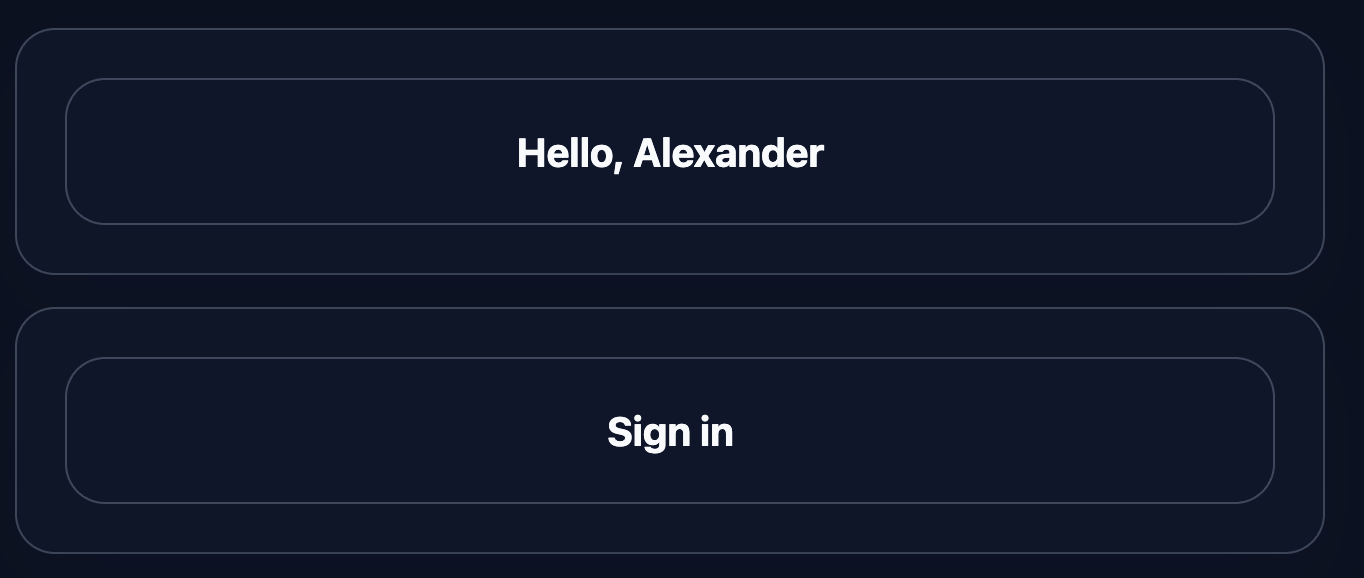
The component must correctly show both states: for an authorized user and for a guest.
Final result should look like this:
💡 Hint
- Use the ternary operator:
{isAuthenticated ? 'Hello, ' + name : 'Sign in'}. - You can destructure props with defaults:
function Greeting({ isAuthenticated, name = 'user' }). - No state needed — everything depends on incoming props.
- Docs: react.dev/learn/conditional-rendering
👀 Solution
import React from 'react';
import './styles.css';

export function Greeting({ isAuthenticated, name = 'user' }) {
  return (
    <div className="greeting-card" data-testid="greeting">
      <p className="greeting-text">
        {isAuthenticated ? `Hello, ${name}` : 'Sign in'}
      </p>
    </div>
  );
}

export default function App() {
  return (
    <main className="challenge-container">
      <section>
        <div className="greeting-card">
          <Greeting isAuthenticated={true} name="Alexander" />
        </div>
        <div className="greeting-card" style={{ marginTop: 16 }}>
          <Greeting isAuthenticated={false} />
        </div>
      </section>
    </main>
  );
}Why this works: The logic is based on props rather than state. isAuthenticated determines which text to display, and name is used only in the authorized branch. Thanks to the ternary operator, the component stays simple, predictable, and easy to test.
React: Conditional Greeting
Implement conditional rendering: the
Greetingcomponent shows “Hello, user” when authorized and “Sign in” otherwise. Do it withoutuseState.
Great warm-up! We often need to show different messages depending on the user's status. Your task is to implement this cleanly and simply, without state — just using props.
What To Do
- Implement a
Greetingcomponent that accepts props:isAuthenticated: boolean— authorization flag,name: string— user name (default'user').
- If
isAuthenticated === true— show:Hello, {name}. - If
isAuthenticated === false— show:Sign in. - Do not use
useState— this task only needs conditional rendering based on props.
Final View
The component must correctly show both states: for an authorized user and for a guest.
Final result should look like this:
💡 Hint
- Use the ternary operator:
{isAuthenticated ? 'Hello, ' + name : 'Sign in'}. - You can destructure props with defaults:
function Greeting({ isAuthenticated, name = 'user' }). - No state needed — everything depends on incoming props.
- Docs: react.dev/learn/conditional-rendering
👀 Solution
import React from 'react';
import './styles.css';

export function Greeting({ isAuthenticated, name = 'user' }) {
  return (
    <div className="greeting-card" data-testid="greeting">
      <p className="greeting-text">
        {isAuthenticated ? `Hello, ${name}` : 'Sign in'}
      </p>
    </div>
  );
}

export default function App() {
  return (
    <main className="challenge-container">
      <section>
        <div className="greeting-card">
          <Greeting isAuthenticated={true} name="Alexander" />
        </div>
        <div className="greeting-card" style={{ marginTop: 16 }}>
          <Greeting isAuthenticated={false} />
        </div>
      </section>
    </main>
  );
}
Why this works: The logic is based on props rather than state. isAuthenticated determines which text to display, and name is used only in the authorized branch. Thanks to the ternary operator, the component stays simple, predictable, and easy to test.
🧑💻 It's not a bug! It's a feature!
The code editor is intentionally hidden on mobile.
Believe me, it's for the best: I am protecting you from the temptation to code in less-than-ideal conditions. A small screen and a virtual keyboard are not the best tools for a programmer.
📖 Now: Study the task, think through the solution. Act like a strategist.
💻 Later: Sit down at your computer, open the site, and implement all your ideas comfortably. Act like a code-jedi!